


Language Transfer
4.91.78K Reviews
App Specs
- Version
- Varies with Device
- Updated On
- License
- Free
- Downloads
- 1,000,000+
- Developer
- Language Transfer
- Categories
- Education
- Platform
- Android
Screenshots
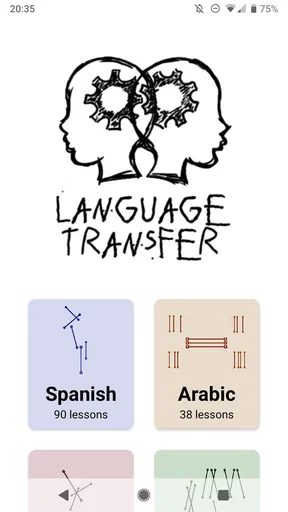
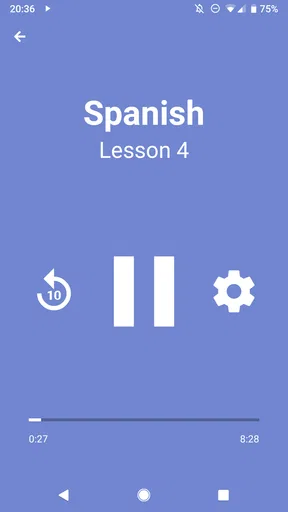
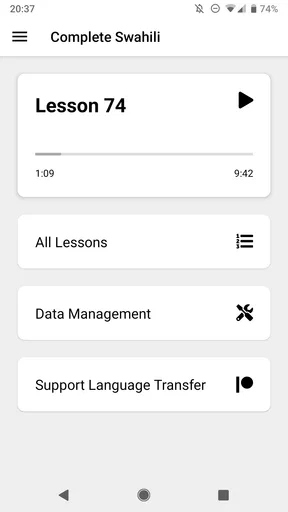
 Analysis by AppCompare
I approached Language Transfer as a study tool rather than a typical language-learning game, and that distinction matters immediately. It is an education app from Language Transfer built around guided audio courses that ask you to reason through a language instead of simply memorizing isolated vocabulary. I found the experience especially appealing when I wanted to understand why a sentence works, not just repeat it until it sounded familiar.
The app is free, aimed at everyone, and has no advertising, purchases, or subscriptions. That makes it unusually easy to recommend to someone who wants to explore a language without first choosing a payment plan. Its public reception is also remarkably strong: it holds a 4.9 average from around sixteen thousand ratings, with over a million installs. Those figures do not replace personal testing, but they do suggest that the unusual teaching style has found a substantial audience.
My main conclusion is cautious but positive: this is one of the most interesting choices for learners who enjoy thinking aloud and building connections between languages. It is less suitable for someone who expects a colorful course dashboard, frequent quizzes, visible streaks, or a complete all-in-one system for reading, writing, listening, and conversation. Language Transfer has a clear identity, and its strengths and weaknesses both come from that focus.
Why this learning approach feels different
The central idea is simple but powerful. Instead of presenting a phrase and asking me to memorize it, the course guides me toward working out the answer. The lesson feels like a conversation in which I am invited to pause, consider a question, and produce a response before hearing the explanation. That small act of retrieval changes the experience from passive listening into active participation.
I noticed that this method rewards curiosity. When a new word resembles something I already know, the lesson encourages me to examine the connection rather than treat the resemblance as a coincidence. When a sentence changes shape, the explanation focuses on the logic behind that change. The result is not effortless, but it can be more memorable than tapping through a sequence of flashcards.
This is where the app earns its place among language-learning apps. Many mainstream alternatives are designed around short exercises, points, reminders, and repeated exposure. Those systems can be excellent for maintaining a daily habit, especially for beginners who need a clear routine. Language Transfer is more like a guided lesson with a teacher’s voice in your ear. It asks for attention, and it gives more back when I actively try to solve each prompt.
That also means the app can feel slower at first. A learner who prefers immediate answers may find the pauses uncomfortable. I had to resist the temptation to skip ahead mentally or treat the audio as background entertainment. The method works best when I actually stop, form an answer, and then compare my thinking with the explanation.
Worth Reading Before You Choose

EA SPORTS FC Mobile 26 Is a Bigger Football Game, but It Takes Time

Flipboard Shows What News Apps Must Do Beyond the Feed

Switching to Android Auto Means Rethinking Your Driving Routine

Google Calendar Makes a Crowded Week Easier to Manage

Ludo King Makes the Most of the Minutes Between Plans

Baby Panda World Brings Quick Play to Modern Phones, but Its Game Library Feels Busy
What a normal study session looks like
A practical session does not require a desk or a long block of free time. I could use a lesson during a walk, while doing routine chores, or during a quiet commute, provided I was somewhere that made it safe to concentrate. The important part was not the setting but the willingness to respond aloud or silently before the recording continued.
For a first session, I would choose a place where pausing is easy. If I am cooking, for example, I might listen while preparing ingredients, but I would not expect to absorb every explanation. For serious study, I found it better to keep a notebook nearby and write down a few patterns that repeatedly caused hesitation. That turns the audio into a personal reference rather than something that disappears when the lesson ends.
A useful routine is to replay a difficult segment immediately, then return to it on another day instead of forcing the entire lesson into one sitting. The app’s reasoning-based format makes repetition worthwhile because the goal is not merely to recognize a sound. I want to reach the point where I can reconstruct the answer independently.
This creates a non-obvious trade-off: the app may be more valuable in shorter, attentive sessions than in long periods of passive listening. Someone can technically play it for an hour while multitasking, but that does not guarantee useful learning. I would rather complete a smaller portion with genuine responses than let a full lesson run unnoticed.
Trust begins with a deliberately quiet product
The absence of advertising, purchases, and subscriptions shapes how I use the app. I do not feel pushed toward a premium tier, interrupted by promotional screens, or encouraged to keep studying for commercial reasons. That gives the experience a calmer tone than many free educational products, where the lesson is only one part of a larger funnel.
That simplicity is particularly helpful for a parent, teacher, or cautious learner who wants to introduce an educational tool without putting payment decisions in the middle of the first session. The age rating is Everyone, and the app’s straightforward purpose is easy to understand before using it. I can open it to study rather than navigate a store-like interface.
Still, I would not treat a clean interface or a free price as proof of every possible privacy or security property. Trust should come from visible choices and the permissions or account controls shown on the device and in the app, not from assumptions. Before installing any educational app, I check what access it requests, whether an account is necessary for the functions I want, and whether the operating system gives me a clear way to change those choices later.
In my experience with this kind of tool, the most reassuring feature is often what does not happen during use: no pressure to provide payment information, no advertising sequence between study moments, and no need to interpret a complicated upgrade path. Those are practical trust signals. They do not answer every data question, so I still recommend reviewing the current permission screen and the developer’s privacy information before making a decision based on sensitive personal circumstances.
Permissions, accounts, and the choices worth checking
Because privacy details can change with an app update or an operating system release, I would inspect the current permission panel on Android or iOS rather than rely on a general impression. If the app asks for access that is not needed for the way I plan to study, I would decline it and see whether the core lessons remain usable. This is a sensible habit with any education app, especially one used by children or on a shared family device.
I would also look for whether the app presents account creation as essential or optional. A learner who only wants guided lessons may reasonably prefer the smallest possible setup. If an account is requested for a particular function, I would read what that function provides before deciding whether the convenience is worth the additional personal information.
These checks are not a criticism of Language Transfer specifically. They are part of using software responsibly when the available choices matter more than a broad label such as “educational.” The developer is clearly identified as Language Transfer, which makes the product’s identity easy to recognize, but I still prefer to make permission and account decisions myself rather than assume that every educational app handles them in the same way.
The strongest user-control principle here is practical: install it, inspect the choices presented, deny anything unnecessary, and revisit the operating system’s settings later. If I were setting it up for a younger learner, I would do that review first, then test a lesson together. That approach lets the learner benefit from the teaching method without turning trust into a vague promise.
Where personal data can become part of the decision
Language study can reveal more than a person’s interest in a language. It may show travel plans, school needs, work goals, or a child’s learning routine. I would therefore avoid entering personal details simply because a form appears during setup. I would provide only what is needed for a function I genuinely intend to use, and I would avoid treating optional profile information as a requirement.
The same caution applies to audio. The course itself is audio-led, but that does not automatically mean the app needs to record me. If a lesson invites spoken responses, I would check whether I am merely speaking for my own practice or whether the device is capturing and sending that speech somewhere. Those are very different experiences from a data perspective. The visible permission prompt and the app’s current explanations should guide that choice.
I also recommend thinking about shared devices. If several family members use one phone or tablet, a study history, saved course, or account session may be visible to the next person. Logging out where appropriate, using the device’s privacy controls, and avoiding unnecessary personal notes can reduce that exposure. This is a small operational detail, but it matters more than a generic statement that an app is “safe.”
Another realistic situation is studying on public networks. Audio lessons may be convenient in a café, library, or school setting, but I would avoid entering personal information over an unfamiliar connection unless I understood why it was needed. For ordinary listening, I prefer to prepare the device in advance and keep the session focused on the course. That reduces distractions and limits the number of moments in which I am making online choices without thinking.
How to get more from the reasoning method
The first advanced technique I recommend is keeping a “why” notebook rather than a vocabulary list. When a lesson explains a recurring pattern, I write the pattern in my own words and add one example that matters to me. This makes the material easier to revisit because I am recording the underlying idea, not just copying a translation.
Second, I would separate recognition from production. After listening to a lesson, I try to recreate a few answers without replaying the prompt. If I can understand the explanation but cannot form the sentence independently, I have learned something about my current weakness. That tells me whether to repeat the lesson or move forward and return later.
Third, I would pair the app with a source of real-world listening only after the lesson has given me a framework. A beginner may become discouraged by a full-speed video or podcast if every sound is unfamiliar. Language Transfer can help me understand patterns, while carefully chosen outside material can show how those patterns behave in natural speech. The two activities serve different purposes, and confusing them can lead to unfair expectations.
A fourth useful habit is to pause before the expected answer even when I am fairly sure. The app’s benefit comes from retrieval, not from hearing an explanation I already recognize. That pause exposes whether I truly understand the construction or have merely guessed from the sound of the question.
Who should use it, and who should choose something else?
I would recommend it to an analytical learner who likes explanations, notices relationships between words, and does not mind doing some of the work mentally. It is also a good fit for someone who dislikes gamification or wants a free starting point without advertisements and paid tiers. A learner returning to a language after a long break may appreciate the way the lessons rebuild confidence through understandable reasoning.
It can also suit people with irregular schedules. There is no need to protect a perfect streak for the method to be useful. I could study when I had the attention available, stop when I was tired, and return without feeling that the app was scolding me for missing a day. That makes it friendlier to adults whose routines change from week to week.
I would hesitate to recommend it as the only tool for someone preparing for a formal exam, a job interview, or an imminent trip. Those goals usually require a broader plan covering writing, reading speed, spontaneous conversation, pronunciation feedback, and situation-specific vocabulary. A structured course with exercises, progress tracking, and teacher interaction may be a better primary resource in that case.
It is also not my first choice for a learner who needs strong visual support. The audio-first format is convenient, but people who depend on written examples, illustrations, captions, or immediate interactive correction may find it too narrow. Likewise, someone who wants a game-like reward loop may prefer a mainstream alternative that makes progress highly visible.
Children can use an Everyone-rated app, but suitability still depends on the child’s attention span and reading or listening comfort. I would try a lesson together rather than assume that the age label guarantees a perfect fit. A child who enjoys solving language puzzles may respond well; one who needs colorful interaction and rapid feedback may lose interest.
How it compares with familiar alternatives
Compared with flashcard apps, Language Transfer offers more explanation and less emphasis on isolated recall. Flashcards are excellent for maintaining a large bank of words, especially when I already understand the grammar around them. The audio course is better when I am trying to see how words connect and why a sentence changes form.
Compared with gamified platforms, it has fewer motivational decorations and more intellectual participation. A points-based app can make daily practice feel easy to start, while this one asks me to bring attention from the first prompt. I would choose the gamified option for habit-building if I struggle to open a study tool at all, then use Language Transfer when I want deeper understanding.
Compared with a live tutor, it is obviously less adaptable. A tutor can notice my pronunciation, change the explanation instantly, and tailor examples to my work or family life. Language Transfer is more private, flexible, and inexpensive, but I should not expect it to diagnose every mistake or replace conversation with another person.
Compared with a conventional textbook, it is easier to use while moving through the day and often feels more conversational. A textbook remains stronger for organized writing practice, visual reference, and marking up detailed examples. My preferred combination would be the audio lessons for building a mental framework, a notebook for active recall, and another resource for reading and writing.
A realistic routine for deciding whether it belongs in your toolkit
I would give the app a fair trial by setting aside several short sessions rather than judging it after a single distracted listen. During the first session, I would focus on whether I enjoy being asked to reason. During the next, I would test whether I can remember a pattern without immediately replaying it. Later, I would compare that understanding with a simple piece of written or spoken material outside the app.
That process answers the most important practical question: not whether the app sounds clever, but whether its method changes what I can do. If I begin recognizing a construction and explaining it to myself, the course is earning its place. If I only remember that I heard an interesting discussion, I need to change my study behavior or choose a more interactive alternative.
I would also decide early how to handle notes and review. The app can provide the explanation, but my own system determines whether the insight survives. A small notebook, a private document, or occasional self-testing can fill that gap. I would not copy every sentence; I would record the few ideas that unlock several later examples.
My cautious verdict
Language Transfer has a rare quality among free educational apps: it respects the learner’s ability to think. The lessons are not built around keeping me clicking. They are built around making me work through a language with guidance. That can feel slower than a game, but it can also produce a more satisfying kind of understanding.
Its trust profile is strongest where the product is visibly simple: it is free, contains no ads, purchases, or subscriptions, carries an Everyone age rating, and comes from the clearly named developer Language Transfer. I still recommend checking current permissions, account requirements, and privacy choices on the device before use, particularly for children, shared devices, or spoken practice. Good user control comes from making those choices deliberately, not from assuming that a calm interface answers every privacy question.
The app is not a complete replacement for conversation practice, writing feedback, a textbook, or a course with formal assessment. It is also not ideal for people who need constant visual interaction or external motivation. But for a thoughtful learner who wants to understand the structure behind a language and study without commercial interruptions, I consider it an unusually worthwhile starting point.
My recommendation is to approach it as a focused audio course, not as a universal language platform. Give each prompt your attention, pause before the answer, keep notes about the reasoning, and pair the lessons with reading or real conversation when your goals demand it. Used that way, Language Transfer feels less like another app competing for daily screen time and more like a patient guide that helps me discover how a language fits together.
Pros
- Free to use with no subscriptions or in-app purchases.
- Audio lessons are short
- focused
- and easy to fit into daily routines.
- Encourages understanding grammar instead of relying on memorization.
- Works well for beginners learning Spanish
- Greek
- Arabic
- or other courses.
- Lessons can be followed at your own pace without progress pressure.
Cons
- The app offers limited language courses compared with larger platforms.
- Its audio-first format provides little visual or written practice.
- No built-in speaking recognition or pronunciation scoring is included.
- Some lessons require careful listening and may feel slow for advanced learners.
- Offline access and lesson management options are relatively limited.
FAQs for Language Transfer
What is Language Transfer, and how does it work?
Language Transfer is an audio-based language learning app that teaches through guided conversations rather than traditional vocabulary drills or grammar exercises. A tutor explains how the target language works and asks questions that encourage you to think through answers aloud. The lessons are designed to help you understand patterns, make connections with English, and build confidence step by step.
Which languages can I learn with Language Transfer?
Language Transfer offers courses in several languages, including Spanish, Greek, Turkish, Arabic, Swahili, German, French, Italian, and more, although availability can vary by course and platform. Spanish is particularly well known for its complete introductory course. Before downloading, check the current course list because new material may be added and some languages may have unfinished or shorter programs.
Is Language Transfer completely free to use?
Yes, Language Transfer is generally available free of charge, with no required subscription or payment to access its main lessons. The project is supported through donations, allowing learners to study without facing locked units or recurring fees. You may still need an internet connection to stream lessons, and optional donations or related resources should not be confused with mandatory in-app purchases.
Can Language Transfer make me fluent in a language?
Language Transfer is an excellent starting point, but it is not intended to be a complete path to fluency on its own. The lessons focus mainly on understanding language structure, forming sentences, pronunciation, and developing useful thinking habits. To progress beyond the beginner stage, you should combine the course with listening practice, reading, real conversations, vocabulary expansion, and regular exposure to native speakers.
Does Language Transfer work offline, and is it suitable for beginners?
The course is especially suitable for beginners because explanations are clear, encouraging, and built from concepts many English speakers can understand. Lessons are delivered as audio, so you can study while walking, commuting, or doing routine tasks. Offline listening may depend on the version or source you use; if downloads are available, save lessons in advance, since streaming normally requires an internet connection.


